Reward points accumulate every time a referrer sends a new customer your way. Those points are redeemed at checkout, not issued as a coupon code. By default, every referrer earns and redeems points under the same global rule. Use this page to override that for a specific customer.
If your store issues discount coupons instead of points, see Reward Coupons.
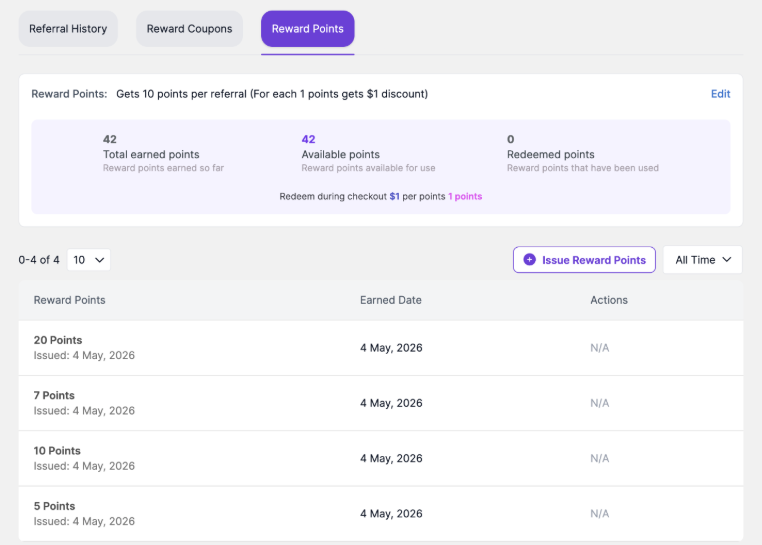
Reward Points tab showing earned, available, redeemed points, and redemption logic.
How to customize the reward points rule #
1. Open the customer profile from EchoRewards > Reward Management.
2. Click the Reward Points tab.
3. Click Edit beside the reward point rule.
4. Enter the number of reward points the customer should earn per referral.
5. Enable or disable the redeem limit per order as needed.
6. Enter how many reward points can be used per order if a limit is enabled.
7. Click Save Changes.
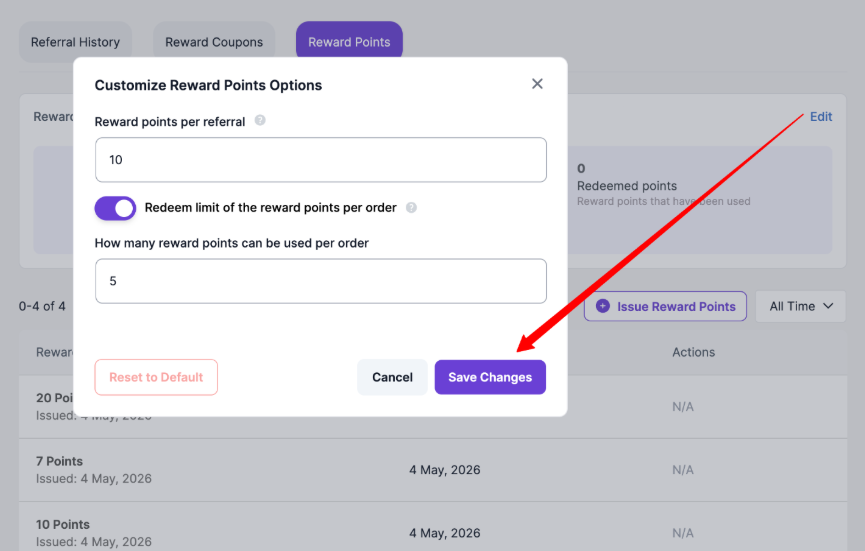
Customize Reward Points Options modal for setting customer-specific points per referral and redemption limits.
Manually Issuing Reward Points #
Use this when you need to add points directly to a customer’s balance outside the normal referral flow.
1. Open the customer profile from Reward Management.
2. Click the Reward Points tab.
3. Click Issue Reward Points.
4. Enter the number of points to add.
5. Click Create Reward.
6. Confirm the point entry appears in the Reward Points history.
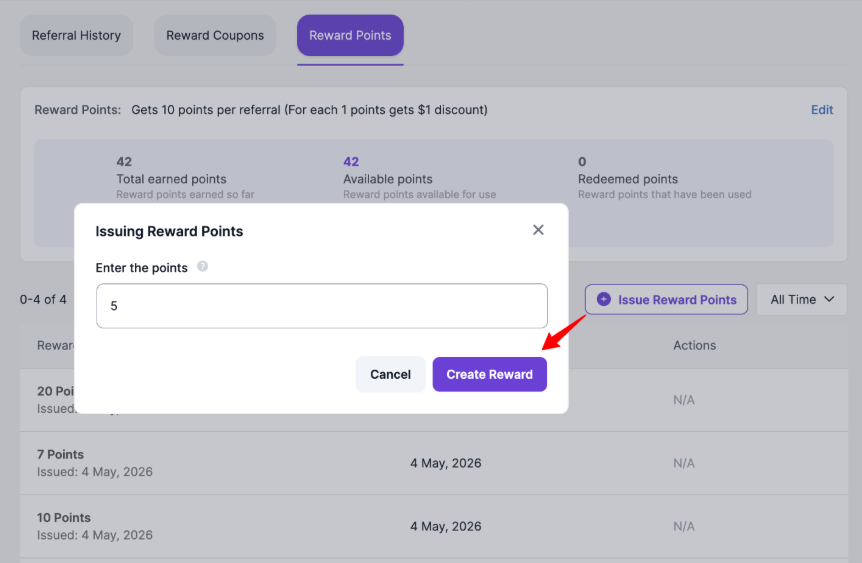
Issuing Reward Points modal where admins enter points and create the reward.
Note: If the global rule gives 10 points per referral, a top referrer can be customized to receive 50 points per referral. Admins can also adjust redemption logic for selected customers.


