Custom Referral Logic controls what a new customer receives when they use a specific referrer’s referral code. This is different from the reward the referrer receives. For example, the global rule may give all new customers a 10% coupon, but a selected VIP referrer can be configured so their referred customers receive a 50% coupon instead.
How to customize referral coupon #
1. Go to EchoRewards > Reward Management.
2. Find the customer and click View.
3. In the customer profile, locate the Referral rule section and click Edit.
4. Choose the referral coupon type and enter the custom discount amount.
5. Set optional expiry, usage, capping, or minimum purchase rules when available.
6. Save the changes.
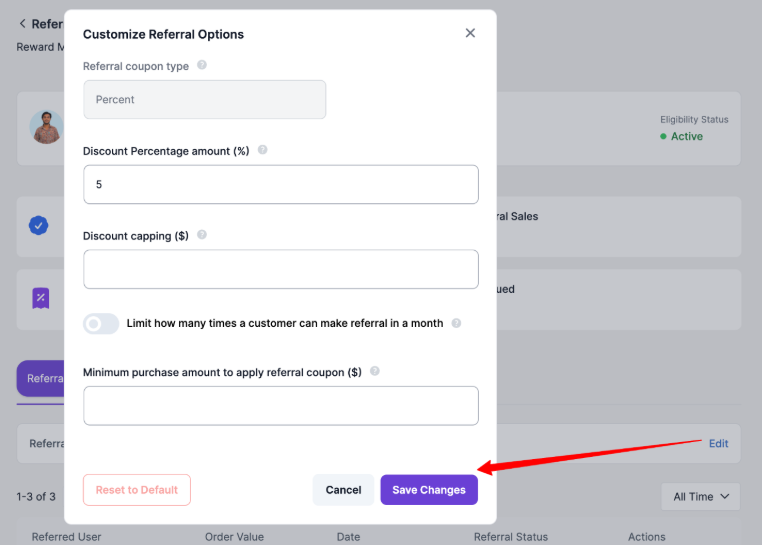
Customize Referral Options modal for setting a customer-specific referral discount, capping, monthly referral limit, and minimum purchase amount.


