Reward coupons are discount codes your store issues to referrers after a successful referral. For example, refer three people and receive a 20% off coupon. By default, every referrer gets the same coupon. Use this page to override that for a specific customer.
If your store rewards referrers with points instead of coupons, see Reward Points.
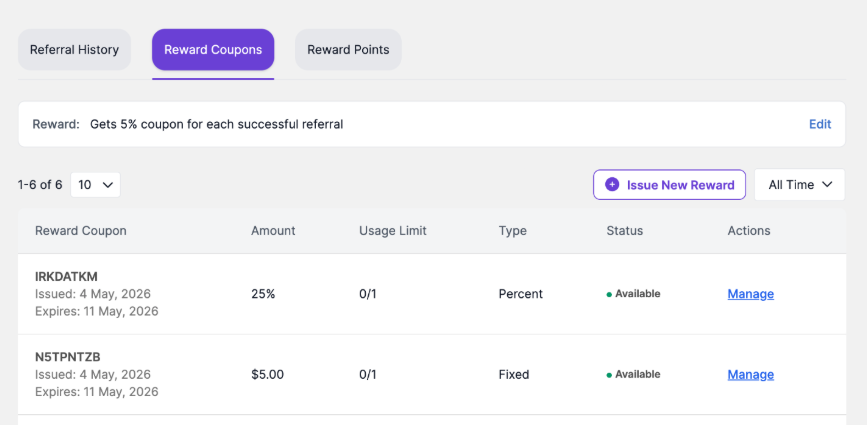
Reward Coupons tab showing coupon code, amount, usage limit, type, status, and management actions.
How to customize the reward coupon rule #
1. Open the customer profile from EchoRewards > Reward Management.
2. Click the Reward Coupons tab.
3. Click Edit beside the reward coupon rule.
4. Select the reward type, such as Percentage or Fixed, depending on available options.
5. Enter the discount amount that this customer should receive for successful referrals.
6. Configure optional controls such as discount capping, expiry date, usage limit, or minimum purchase amount.
7. Click Save Changes.
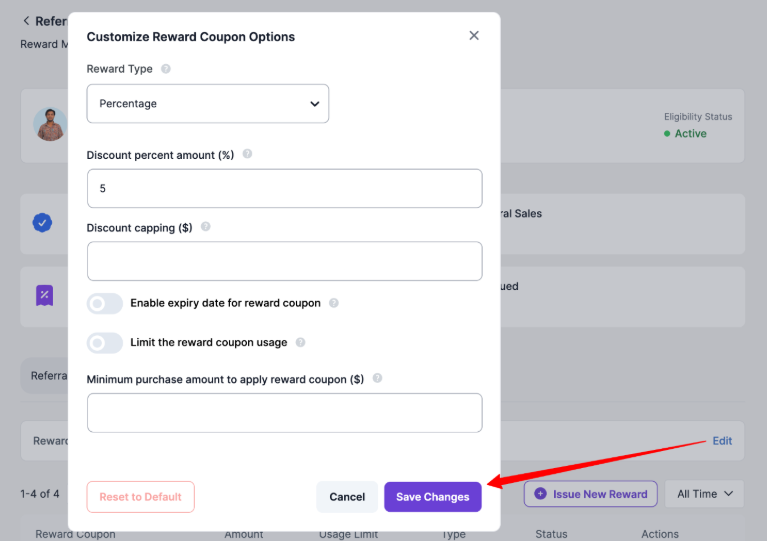
Customize Reward Coupon Options modal for overriding the reward coupon logic of an individual customer.
Manually Issuing a Reward Coupon #
Use this when you need to issue a coupon outside the normal referral flow, such as for a campaign, manual compensation, or a one-off loyalty reward.
1. Open the customer profile from Reward Management.
2. Click the Reward Coupons tab.
3. Click Issue New Reward.
4. Select the Reward Type, such as Percentage or Fixed.
5. Enter the discount amount.
6. Optionally set discount capping, expiry date, usage limit, and minimum purchase amount.
7. Click Create Reward.
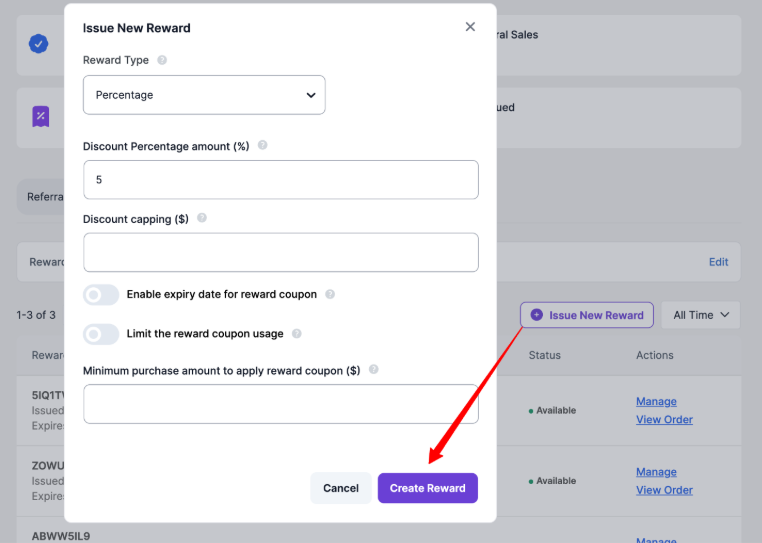
Issue New Reward modal for configuring coupon type, amount, capping, expiry, usage limit, and minimum purchase.


